Showing posts with label Android. Show all posts

Thursday, 13 March 2014

How to Download Torrent on Smartphones or Tablets

We have been using torrent on our laptops , PC to download movies ,songs, softwares and a whole lot of things since time immemorable isn’t it?? Now in the age of tablets, smart phones and all the other handheld portable devices still downloading your files on PC and laptops isn’t it too boring??
Download Torrent on Smartphones
We download almost everything we need from torrent so today I am going to show you one of the simplest and easiest way to Download Torrent on Smartphones.

READ ALSO: Top 10 Best Free latest Android Games 2014 - Most Downloaded 

Steps to Download Torrent on Smartphones

Firstly to Download Torrent on Smartphones we need to open the Android app market and search for torrent downloading applications.We might come across many applications like Bit Torrent(beta), aTorrent, tTorrent and aDownloader.

Step 1:

Well out of all this I will say aDownloader is the simplest one which provides great ease to download with the least amount of problems when compared to all the others.

Step 2:

Then open the app on our mobile and the first thing we ought to do is set a download path or where we want to save the files we download.We can do this by going to the setting icon on the top left corner and selecting the location. Example (/mnt/sdcard/torrent download).

Step 3:

Then through the browser we go through a torrent link downloading site like and enter the file we need to download by entering the name in the search field and download the link. Then we open the downloaded link and choose to open with aDownloader app when asked.

Step 4:

Then choose the preferred options within the app and start downloading.
The current version available on app market for aDownloader is 1.0.9.2; it requires space of 1.9M and works on android devices of version 1.6 and above.
  • Although adownloader is the simplest one to use but the most popular or used among them is bit torrent so to download a file using the bit torrent app following way can be used.
  • So first we have to download the app from the android app market. After that one needs to use the browser avaliabe on ones gadget to download the required link.
  • The link can be downloaded same as that for adownlaoder by going to sites such as  then we need to enter the file name in the search field which we need to download and save that link. While choosing the link we should check across the comments and factors like number of seeders available and the weather is being verified file or not.
  • Then we can use the downloaded link by clicking on it and choosing the bit torrent app. Then our download will start and depending on the size of the file we are downloading, number of seeders, and the speed of the net from your net provider the time taken to download the file will depend on and it may take from a couple of hours to days for downloading to complete.
  • Its current version available on app market is 1.19, it requires a space of 7.4M on our device and it works on Android devices of version 2.1 and above.
We should be careful while downloading the torrent links as they may be misleading and may even contain malware content. So we should only download links which are verified by torrent and seems to be free of any kind of malware.
Downloading a torrent file on your device may consume a large space any will have a drastic effect on your device’s battery. Also one should keep in mind that’s its always better to download a file thorough torrent using wifi connection rather than using 2G or 3G services.

READ ALSO:  Secret mobile phone codes for Nokia and Android 

No comments

Tuesday, 11 March 2014

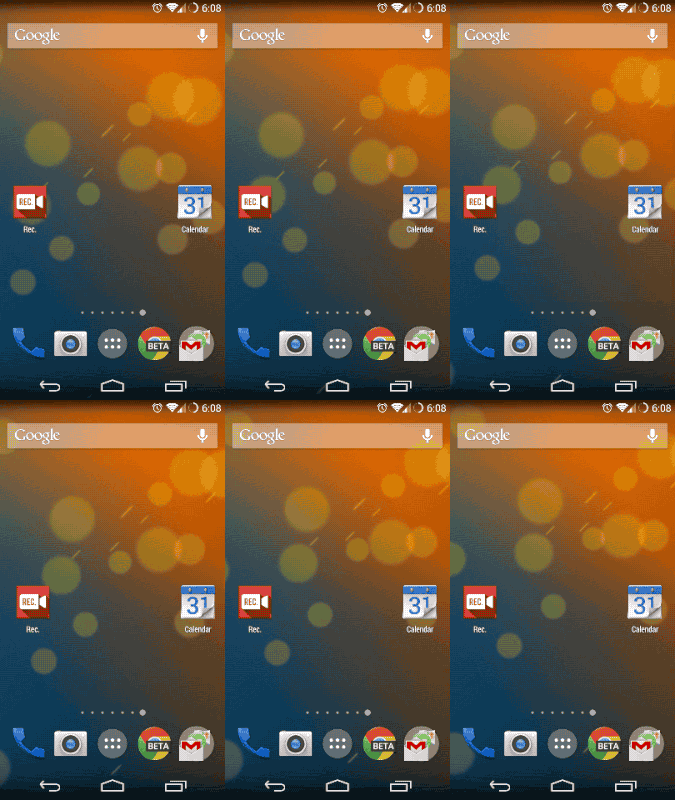
5 beautiful Android live wallpapers that won't kill your battery

Google added live wallpapers to Android way back in version 2.1, which first appeared on the venerable Nexus One. At the time, it was little more than a curiosity, a gimmick. Most live wallpapers guzzled battery life and were entirely too flashy to have moving around behind your icons.
Four years later, live wallpapers have evolved into something that can make your phone feel alive and personal, without the obvious drawbacks. Let's check out five live wallpapers that are as easy on the battery as they are on the eyes.

Muzei

This live wallpaper is a newer arrival in the Play Store, and it does operates a bit differently than most other apps in this category. Muzei (a transliteration of the Russian word музей, meaning “museum”) pulls in beautiful high-resolution images and rotates them in as your background.

The "live" part of the wallpaper comes in the way it applies dim and blur filters, which keeps the home screen from being too busy, but you can double-tap at any time to see the unblurred image for a few seconds.
Perhaps the best thing about Muzei is the fabulous ecosystem of extensions that add new sources of images; there's always something new with Muzei. It's completely free in Google Play.

DOWNLOAD


Custom Beam

The Phase Beam live wallpaper has been included in most builds of Android since Ice Cream Sandwich. It's easy on the battery and doesn't get in the way of icons too much, but it's a little boring, and completely lacks options. A good alternative is Custom Beam, which allows you to produce the same effect, but with all manner of variables to tweak. If you don't like the blue/purple default look, you can change it to anything you like.
Custom Beam includes settings for the speed of the animation, shape of the lens flare effects, and even the angle of the color gradient. It can also change based on your battery state as a subtle reminder it's time to plug in. The basic color-changing features are included free, but it will cost $1.49 to unlock everything else.


Mountains Now

Google Now is at the center of Google's Android plans—so much so that the art style seems prevalent in everything Google does. The Mountains Now live wallpaper imagines what it would be like if that cute little Google Now header image came to life and took over your homescreen.
The result, as you might imagine, is adorable. Little ships float past, mountains appear in the foreground, and the clouds drift onward as your perspective shifts.
The real killer feature in Mountains Now is that it can use your device's gyroscope to produce a parallax effect as the phone is tilted. Even with the animation speed and motions sensing turned up, I never see Mountains Now show up on my battery monitor. The clean lines and solid colors don't get in the way of your icons, either. The full app costs $1.63, but there is a free version with a subset of the features.

DOWNLOAD

Wave

The Wave live wallpaper is a bit like Custom Beam in that it's absolutely overflowing with settings. It produces a series of smooth waves and lines of glowing energy that undulate across the screen. It's vaguely reminiscent of the background you see on a Playstation 3 or PSP.
The colors, speed, and magnitude of the waves can be altered to produce very different effects. Because Wave includes such extensive settings, you can easily tune it to your device so it's smooth and power efficient.
Even at a modest frame rate with the detail level turned down, Wave can look impressive, but higher settings have never caused me any unacceptable battery drain. Wave costs $1.49 in Google Play, but there's a free trial too.


Space Colony

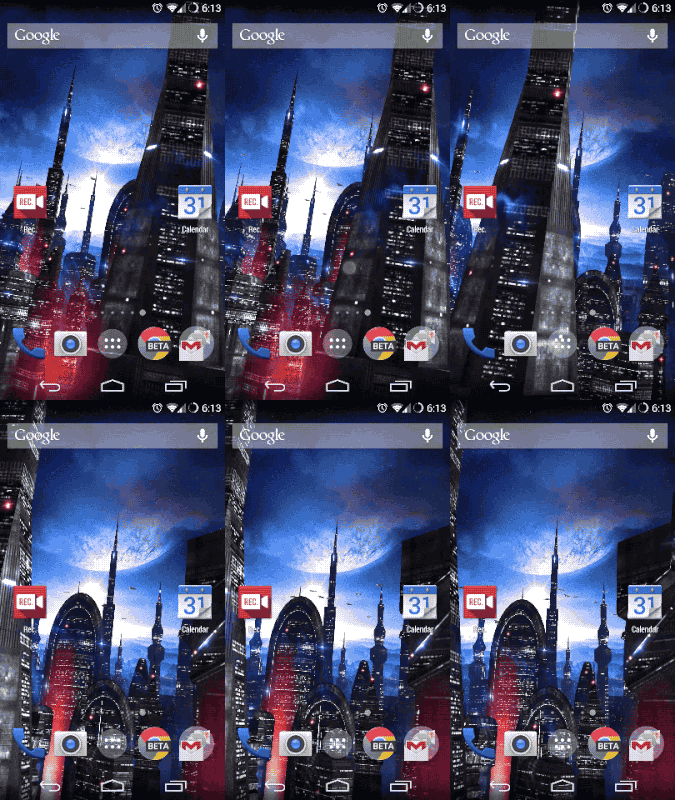
Space Colony from Maxelus is by far the most detailed live wallpaper on this list, but it's shockingly easy on the battery. This wallpaper depicts a futuristic skyline shrouded in glowing fog on your homescreen. You get to choose from a dozen different backdrops, color schemes, and lighting effects.
The camera slowly pans across the sky and slides through the narrow gaps between the glowing towers, but you can change the camera's path at any time with a quick double-tap on the screen.
Even with the frame rate set reasonably high, this live wallpaper almost never causes any detectable battery drain. For the full raft of settings, you'll need to drop $1.95 via an in-app purchase.


DOWNLOAD


No comments

Friday, 7 March 2014

How to Speed up Android Phone -10 Tips

Android devices are just Awesome.But after buying a new device i.e after a month using it gives you some performance lag whether its a Karboon A5 or a Samsung Galaxy S4 after using it some days it will give you some performance lag.So today we have Top 10 tips to remove these lags, these tips are small but effective.
make+android+phone+fast.jpg

              Also Check: Step By Step Tutorial To Create Fake Facebook Login Page

1.Keep Optimizing your Home Screen

People feels very nice when they see Live Wallpaper and Lots of Widget on their Home Screen and Why the Live Wallpapers are So cool and the Widgets on the home Screen on work more easier. So peoples have a Live Wallpaper and Lots of widget on their Home Screen but many less peoples are aware these things slows down your Phone performance especially when you have older and low configuration Phone.

Optimizing+Home+Screen
 
As the Widgets are important but using too many widgets will surely get down your phone performance and not to forget Live wallpapers will directly kill you Battery Life.

2.Startup Cleaner

Whenever your Android device boots there are many apps which get started at the booting time of the device from many of them are installed by your device hardware company and many are from the telecommunication company also. But these apps are important which provides you the basic function of your device. But when you install the custom apps some of them are also started in the booting time which are not necessary so if we kills them at the booting you can increase a your device performance a lot.

Startup+Cleaner

To remove these unwanted apps starting at boot time, you have to install app named as "Startup Cleaner 2.0". From this app you can control everything to kill any app at booting time you Select that app from Start up cleaner and click on "Batch Prevent Default". But don't kill the apps for that you are not sure just Google the function of the app then only kill any app.

3.Have a eye on the Apps running in the background

Android is Multitasking Operating System which allows you to do perform multiple actions at one time but many peoples misuses this feature which takes to a lag in Device performance. Majority of peoples don't know how to close an app correctly when they want to close an app they just press the home screen button and think the app is close but as its a multitasking system it just minimize the app.
Task+Manager

So its a must advice that we have an eye on the apps running in the background this take too much CPU and battery usage, so we should close the app correctly when not in use. To close an app correctly i always recommend to use Task Manager, Just run the Task Manager and  got to running App (tab). Here will be all the apps which are running on the background, just the close the app by clicking on the End button in front of the App name. This makes your Device battery and performance running smoothly.

4.Updating Mobile Apps

update+apps

Android is most popular OS for the mobile device at the current time. So it offers a regular update in its OS, Apps and UI. Now at the Current Time all the Leading Mobile Manufactures are offering there own designed User Interface with there Phones, and to make the User experience better they offer a regular update. But many peoples think updating is just a waste of time Don't avoid updates they are here to help you. Like any Game developer is providing update for the better Graphics and any App developer is providing update for the new and latest features which can help you a lot. So its better to have a regular update whenever possible.

5.Avoid Synchronization


avoid-sync.jpg

All most everyone uses Synchronization but peoples don't know this the root for making you battery Life low and Performance Lag. Synchronization is a best feature for the Business man and peoples who are very busy in their day to day life. Everyone is recommended to check their E-mail and social status manually rather synchronization. All e-mail applications and social media apps like Facebook, twitter, Instagram and many other apps comes with Auto-Synchronization feature which make your phone performance down. So we recommend you disable the synchronization and check for all things manually.

6.Avoiding Launchers apps

There are many personalization apps available on Play store which make your device Looks Just awesome but only at visible side. At the other side it suck all your RAM and Battery Life, which makes your device working slowly.

Avoid+Launcher

This is a good app in terms of personalization but needs a lot of improvement to make it more performance friendly with the Device. I recommend you to uninstall the app and will feel you make a great experience.

7.Installing Custom Browser

Custom+Browsers

Many peoples uses the default browser of the android. But in the Play Store there lot's of other Browser available which provides a better internet surfing experience and have a low need of RAM. Using the Custom browser will take low use of RAM and performance of CPU and will also provide more speed while surfing. Recommended Browsers are Opera, Uc browser, Chrome, etc.

8.Cleaning Cache Memory

All Browsers, Apps and Games uses their cache memory. If we keep cleaning this Cache memory regularly then it will increase your performance speed a lot. To delete this Cache memory Download "1Tap Cleaner" app from Play Store.
Clear+Cache+memory

9.Turn off Animation

This features comes pre-loaded in all android device. These animation is on no use and also look silly and the most important many times it causes delays while surfing the phone especially in older phones so its better to close it. To disable this animation Settings> Display> Animation Just turn it off.
no+animation

10.Restarting

Every human needs a sleep, phone is also a machine it also need some rest but we are not telling to switch it off.Just try to restart your once a week will improve your device loader faster.
Restarting
I hope guys you enjoyed it and will follow these tips.If you face any problem Just feel free to ask in Comments.

No comments

Top 10 Best Free latest Android Games 2014 - Most Downloaded

The craze for android gaming is at its fastest pace these days. Thousands of apps are being designed to win the hearts of game lovers. Moreover, innovation has become the major criteria! Here are the top 10 games released in 2014 to put you out of confusion.


android+games

1. Angry Birds Go!

This Rovio production has been rated the top games this 2014! See the birds and pigs in action in this colorful 3d world with plenty of twists and turns in a thrilling race!

angry+birds+go
 

2. Racing Air

Racing Air is the first game of racing air throwing off the gravity, flying at high altitude. To experience the infinite fun of barrel roll. That’s the best racing game. New physics engine build a brand-new racing experience. Let’s feel the charm of Racing Air!
racing+air.

3. Cut the Rope - Holiday Gift

Cut the Rope has always been the best productions of Zeptolabs. And now, this new year, it has come out as an exciting gift. Om Nom wants to wish happy new year for all the zepto freeks this time with intuitive, puzzling and tricky level.
cut+the+rope

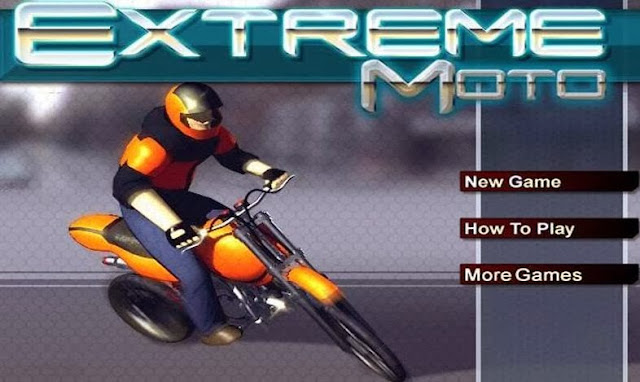
4. Xtreme Moto

This android app has become a thunder thriller for bike lovers. Its a challenging game with lots of dangers and pitfall at every level.
xtreme+moto

5. Traffic Car Racing

Traffic Car Racer is one of the top most android games released in 2014 with magnanimous graphics developed by Dragon Knight developer. It has come out with added 9 new levels for each game.

6. Golf Championship

Introducing golf on your android device with marvelous touch controllers and varying wind severities! The games holds on it stunning golf environments with 3 exciting game modes.
golf

7. Speed Moto

Speed Moto 2014 is the best racing game! More realistic 3D scenes, real road! More Realistic physical effect, exciting game music.

8. Mad Ball 3D Gravity

The newest and most interesting casual puzzle game at the beginning of 2014 is here! A variety of funny game model! More realistic and thorough gaming experience!! Smooth game control.
mad+ball+3d+gravity

9. Anti Terror Shooter

Anti Terror Shooting is an action game with real weapon graphics. It has been rated 3.9 out of 5 for its super cool SWAT team.
anti+terror

10. Mike's World

Mike is on an adventure with his moustache! This android app has become the favorite of adventure lovers, exploring over 75 stages, with lots of fun.
mikes+world

1 comment

Sunday, 2 March 2014

Increase Ram Of your Android Mobile Using SD Card

Hello friends, today in this post i'm introducing a new technique and some tips to increase RAM of your android device. This difference in hardware can greatly affect your phone, you can not use bigger size apps, and can not play heavy games or you can not run multiple application at the same time or the hanging problem and many more. But everyone can not afford the high range phones. And majority of this problem is due to the processor and the ram size. So in this post, i'm talking about how to increase ram of your android phone and you also play heavy games and use multiple applications.


How to Increase Ram In Android Using Sd Card ?
Note: Increasing ram does not mean that you are internally adding some hardware to your Android phone. Its not possible for a normal man to alter the hardware of Android device so as to increase its Ram. Its been risky and one need to be professional to change the hardware. And also manufacturer has some guidelines for this.  But don’t worry there is some simple way to increase ram in Android, you just need to follow the instruction. And you can easily increase your ram in maximum 10-15 minutes. Using this method or trick you can increase your ram upto 4 GB.

Requirements:

  • 1. SD card as you want but class 4 or higher SD Card will give excellent speed to your Phone.
  • 2. Rooted smartphone.
  •     Or Rooted Tablet (If you want to increase RAM and Internal Memory of it.)
  • 3. SD card reader
  • 4. Windows PC
  • 5. An internet connection for downloading a few softwares or you can get it from somewhere else also.

Read Also:  Step By Step Tutorial For Hacking Any Facebook Account

Partition Your SD Card:

First step you have to do is to partition your SD Card and for doing this you have to,

1. Download Mini tool Partition from Here.

2. Install the application on your PC and connect your SD card to your PC with Card Reader.

3. Open Mini Tool Partition in your PC and when the wizards open click on your SD Card and select Delete option. (Note: This will format your SD Card completely mean that it will erase your data permanently, so previous to doing this backup your data at any place in PC or other Storage device.)

4. When the Formatting of your SD Card is completed then, you have whole of space of your SD Card as unallocated then Right click SD Card and select make option.

5. A popup box will open giving you options for making partition; select the partition as primary and file system as FAT if SD Card is less than 4GB or FAT32 if your SD Card is more than 4GB.

6. Leave about 512 MB or more space (your choice) for making the next partition.

7. Then select done and do right click on unallocated space of your SD Card and again click make option. Select Primary partition but change the file system to Ext2, Ext3 or Ext4.

Note: (Ext2 is not compulsory as most ROMs work fine with it).

How To Make Ram Of SD Card Android:

1. Click Apply Changes and then process goes on for the few minutes and then partition is completed.

2. Install Link2sd from Google Play or download and install the .apk format file from here to your phone.

3. On the first launch of the app, it will question for root permissions and then, it will question you the file system of the .ext partition that you had before made, choose the option as you had choose in the partitioning steps.

4. Sort the apps according to size and start linking them.

You have done your task Enjoy. Comment below if you facking any problem.

6 comments

Thursday, 27 February 2014

Secret mobile phone codes for Nokia and Android

This post is only mean for those who are using mobile phone, here i am going to give you some useful codes of android & nokia phones which are the most common in todays market ,you can use these codes for knowing more about your device and customize your device, so share this post to all your friends those who are using mobile phone

Android secret codes

For IMEI Number: *#06#  
For RAM Memory version: *#*#3264#*#*
For FTA SW version: *#*#1111#*#*
For FTA HW version: *#*#2222#*#*
For Touchscreen version: *#*#2663#*#*
View Phone Lock Status: *#7465625#
Executes Emergency Dial Screen to unlock PUK Code: **05**#
Enables Voice Dialing Logging Mode: *#*#8351#*#*
Disables Voice Dialing Logging Mode: *#*#8350#*#*
Change behavior of Power button: *#*#7594#*#*
To test Vibration and Back-light of device: *#*#0842#*#*
To test Proximity/Distance Sensor: *#*#0588#*#*
To test Touchscreen: *#*#2663#*#*
For Audio Test: *#*#0289#*#* or *#*#0673#*#*
To launch Service Mode: *#*#197328640#*#*
Hidden Service Menu (Motorola Droid): ##7764726
Field Test: *#*#7262626#*#*
To format the phone: *2767*3855#
To start GTalk Monitoring: *#*#8255#*#*
To get PDA, Phone, H/W and RF Call Date: *#*#4986*2650468#*#*
Displays Build Time and Change List number: *#*#44336#*#*
Packet Loopback Test: *#*#0283#*#*
LCD  Display Test: *#*#0*#*#*
Enter Service Menu (on New Phones): *#0*#
Diagnostic Configuration: *#9090#
USB Logging Control: *#872564#
System Dump Mode: *#9900#
To test Bluetooth: *#*#232331#*#*
To display Bluetooth Physic Address: #*#232337#*#
To test secret GPS: *#*#1472365#*#*
To test other GPS:  *#*#1575#*#*
To test WiFi/Wireless LAN of phone: *#*#232339#*#* or *#*#528#*#* or *#*#526#*#*
To display Wi-Fi MAC Address: *#*#232338#*#*
To Restore Factory Settings: *#*#7780#*#*
To create Immediate backup of your multimedia files: *#*#273282*255*663282*#*#*
To display Phone Information: *#*#4636#*#*
To get detailed Camera Information: *#*#34971539#*#*
For Software & Hardware Information: *#12580*369#
To display HSDPA/HSUPA Control Menu: *#301279#

Nokia secret codes 


*#7780# :reset to factory settings.
*#67705646# :This will clear the LCD display (operator logo).
*#0000# :To view software version.
*#2820#: Blue tooth device address.
*#746025625# :Sim clock allowed status.
*#62209526# : Display the MAC address of the WLAN adapter. This is available only in the newer devices that support WLAN
#pw+1234567890+1#: Shows if sim have restrictions.
*#92702689# : takes you to a secret menu where you may find some of the information below:
1. Displays Serial Number.
2. Displays the Month and Year of Manufacture
3. Displays (if there) the date where the phone was purchased (MMYY)
4. Displays the date of the last repair – if found (0000)
5. Shows life timer of phone (time passes since last start)
*#7328748263373738# resets security code.  Default security code is 12345
Warranty Codes  * # 92702689 # [* # war0anty #]

2 comments

Saturday, 22 February 2014

How To Install Android on PC or Laptop

Android has a got very important place in our Tech World.Now in market you can get many devices running on Android like Smartphones to Tablets, Tablets to Camera and i can simply say that the major Portable device in the market are running on Android.But there is no PC running on Android, So if you want then you can run Android on your PC.

android+os+for+pc
Things needed:
  • Android ROM File you can get any android version ROM file that you want to run.Here i Will be using Android 4.2 Jelly Bean: Download From here
  • Virtual Box Software Download From here
Vrtual+Box

Download all the things needed in this process and then go through the below step to install Android OS on you PC.

  • After Downloading the Virtual Box.Install the Virtual Box on your System and while installing it may ask you to install a new network adapter so not to worry.
Install+Adapter
  • Now Launch the Virtual Box and create a new virtual machine, this is going to be where you gonna run Android OS.Click on New button and after that name your machine.Now select Linux from Type Drop down list and then other Linux in version.Finally hit Next.
Chossing+version
  • Now set the memory Slider to 512 MB or more this is the RAM which Android OS will be using and click Next.
READ ALSO:  5 beautiful Android live wallpapers that won't kill your battery
  • Now create a virtual Hard Drive and click on Create.Select VDI and Click Next button and select the Fixed Size button also and final proceed by Clicking Next.
  • Choose how much space do you want to allocate the Virtual Hard disk and also select the Location where do you want to create this disk.
Virtual+Hard+Disk
  • Now Select the new virtual machine you created above.Then click on Settings button, then Click on Storage on the left hand side and at the last click on Empty entry in the Storage Tree.
settings
  •  Now select Chose a Virtual CD/DVD disk file from right side menu.And Browser the Android ROM file that you downloaded and Click on open.Now Switch ON your Virtual Machine by Clicking on the Start Button at the top Toolbar.

Now We Will Install the Android From its ROM file

  • It will Show a Blue Installation Screen like below Screen Shot.Select the Last Option Installation by Scrolling down down from arrow keys and hit enter.
    Installation
  •  Now Select the Create/Modify Partion option.And Select New at the bottom of the screen and press Enter key.Select Primary option and press enter to create a partion which will occupies your virtual drive.
    partion
  • Now select the Boot able option and press enter, select the Write option and press enter, then type yes (to confirm) and press Enter again.Select Quit and choose the partion you created above and press Enter.
  •  Now you will be asked to choose the File System.Choose ext3 File System and select yes to confirm.
filesystem
  • Now be patient as it will take some minutes to install Android, select yes to install it and select yes again to make the system directory writable.
  • Now Finally you will be Prompted a Congratulation screen showing that you have successfully installed Android OS.Now Just run Android OS by hitting enter.
installed
Now you are done you installed the Android OS.Now just configure the OS for the first time and enjoy Android !!
Android+OS
If you find any difficultyin any of above steps feel free to comment below we will help you for sure.Don't forget to share this Awesome article with your friends!! :)

Read Also: How to View Privately hidden Profile Pictures ( Display Pics ) on Facebook

No comments

How To Download Facebook Video to Android Phone

DOwnload-Facebook-Video
If you wish to download Facebook videos to Android device you find while browsing Facebook application then here is the simple method to do it. It can be done using Tube Mate application. Here tubemate is preferred because it also has the ability to download YouTube videos to android and also videos you find while browsing Internet.It is free and you can download videos of your desired resolution.This application is not available in the Google Play store because of some specific reasons.You can Download it from Opera store Download link is available in the later part of this post.
There are also many other facebook video Downloading applications on Play Store, but I suggest Tubemate for this pupose. Tubemate also helps in downloading the video faster

How to download Facebook Videos to Android Phone :

  • Firstly, Download Tube mate to your android phone.
                                                             Download Link
  • When you find videos on Facebook for Android application tap the video as you generally do it to play the video.
  • Now choose complete the action using Tubemate rather than video player.
Select+Tubemate
  • A download window opens asking you to choose the file name.
  • Click to download and your download begins.
Selcet+Download
  • Wait till the completion of download and enjoy the Downloaded video.
Facebook+VIdeo+Download

1 comment

Thursday, 20 February 2014

Top 10 Android Tips and Tricks that Every Android User Must Know

More and more people purchase an Android-based phone, Google's open operating system for mobile phones. Among other things, HTC, Sony Ericsson, Motorola and Samsung phones based on the aforementioned operating system. Are you among those who have obtained your phone (or just curious), we have compiled ten android tricks to help you get more out of your phone:
if you are looking for more android tips and tricks then you can check http://www.geekscab.com.


android+tips+and+tricks

1.Customize the home screen

Depending on your phone model, your home screen consists of x different screens that you can scroll between. For example, the HTC Desire seven of them. You can add applications on the home screen by taking up the menu with all the applications you have installed and keep your finger on one of them and then drag the icon to the desired position. Keeping your finger down on the background you can also create a directory where you can collect related applications, add widgets or shortcuts to contacts you interact with often. The latter is done by selecting the shortcut => ring or shortcut => send text message and then selects the name of the person you wish to create such a shortcut.

2.Install Norwegian keyboard

Again, it varies slightly from phone to phone, but more Android phones sold in Norway have æ, ø and å located on the keyboard - the letters are available by holding respectively a, o and a downstairs. There are a Norwegian keyboard Android market which you can download (search on Scandinavian keyboards), with accompanying glossary (search English dictionary). Once you have downloaded it you need to activate it via the language menu under Settings (tick the intersection), and to use it, hold down the text box where you type eg. a text message, tap input method, and then select the Scandinavian keyboard. Did you download the app Barcode scanner you can use this to scan the barcodes on the right.
 

3.Copy files to and from your phone

When you plug the phone into the PC via a USB cable, you get a notice about it. Pull down the drop down menu at the top, press notice that the USB cable is connected and then mount the disk drive .Then pops up the device as an external hard drive in the operating system so you can easily copy files back and forth, delete files etc.

4.Surf the mobile web with your PC

As a last point, but instead to mount as disk drive, select Internet Sharing . Then you use the phone as a wireless modem so you can surf the mobile web. Please be aware that it can mean a lot of data traffic, so be sure to have a plan that is in harmony with the intended use.

5.Monitor the data traffic

Unless you have a mobile subscription with unlimited web use, it may be useful to keep an eye on how much mobile traffic you have used within the current month. There are several applications that do this - we are very satisfied with Net counter (search in Android Market), which shows how much traffic you have downloaded and up via both cellular and wireless networks.

6.See what uses the battery

Are you unhappy with the android phone battery life? Via settings => about phone => Battery can see which devices are using the battery, split up into individual programs, screen, Bluetooth, WI-Fi etc. Secondly, you can make the necessary changes.

7.Transfer movies to your phone

Although Android can eat a variety of file formats, not all movies can be viewed directly on the phone. Are you using double twist to copy movies, they converted automatically before they are stored on the phone. The program also supports transferring music.

8.Use the search and menu button

In many applications is the search feature hidden because units have a dedicated search button that you can use in many places. Also note that the menu button often hides more options than what you see on the screen, also settings for the active application. Back button works also across applications. Example, you must use the menu button to change settings in Gmail if you do not want the phone to beep every time you receive new mail. An additional tip is that you can hold down home button to display the last active application.

9.Create custom ringtones

With the app Ringdroid you can cut any music file to pick exactly the section you want as a ringtone. When you are happy you can set the ringtone through the same program. Remember that it is also possible to choose different ringtones for different contacts, which you do via the contact page.

10.Copy and Paste

Hold your finger in a text field to select text, copy, paste, etc. To hold your finger down on an item is also something that works in many applications to interact with the element in more ways than just choosing it. What’s your best android trick? Share with other Android users in the comments below.

No comments

Tuesday, 11 February 2014

Download Subway Surfers Free ( Unlimited Coins,keys & Unlocked Characters )

Subway Surfers is one of the most played android game .Download Subway Surfers game with unlimited coins,keys and unlocked characters ( cracked / mod version)  for free.Updated with Latest SubwaySurfers Miami (Florida) and  Mumbai ( India ) version .To download this cracked app you must un-install the previous version of subway surfers installed on your android device. Download the app from the provided download link and install the downloaded file (.apk file Manually )
dasdasd
If you are not aware of installing .apk file manually then

Download Subway Surfers:

Download Subway Surfers (Normal Version) :

images+copy
Subway Surfers normal version can be downloaded directly from play store and installed.If you are not interested with the cracked version. Normal version has its own advantages as subways surfers is changing various locations like Moscow, Beijing, Tokyo,Miami Paris.... almost every month it gets updated.
Download link: From Play Store

Download Subway Surfers Unlimited Coins and Unlimited Keys (Cracked ) :

download+copy

 In this version you find unlimited Keys and unlimited keys make highest scores and challenge your friends.This is a free version.
1175305_10201542980629032_82445554_n+copy
Note : If you Install this cracked version you will no longer receive official updates from subway surfers.That is you will end up with only one location that you installed

Subway Surfers Miami ( Florida ):

Download Link :  Miami  Version New!!         Download Link1             Download Link2

Subway Surfers Mumbai ( India ) :

Download Link : Mumbai Version New!!

Subway Surfers London :

Download Download Link : London Version 

Subway Surfers Beijing: 

Download
Download Link : Beijing Version

Subway Surfers Tokyo :

Download Download Link : Tokyo Version

Subway Surfers Paris :

Download
Download Link : Paris Version

Subway Surfers Moscow :

Download
Download Link : Moscow Version
Hope you liked the post. Share it with your friends on Social Media.

No comments

Download Subway Surfers Miami Cracked Version (Unlimited Money and Keys )

Subway Surfers is one of the most played android game.Many will be thinking of Subway Surferes Cheats to make High scores but here is a simple trick.Download Subway Surfers Miami Cracked version to your Andorid Phone with more coins and Unlocked characters. This Subway Surfers Miami has Unlimited Keys and Money. No need to buy you can Download Subway Surfers Unlimited Coins and Keys free from the Download Link given below.
Download Subway Surfers Miami Cracked Version

Note : This Subway Surfer hack version or cracked version is posted as per users request. We are no way related to the cracked subway surfers .apk file. If you are not interested to download unlimited money version you can download normal version from Playstore.

Download Subway Surfers Normal Version :

Download Subway Surfers Miami Crack :  

Miami Unlimited COins
Download Link 1 
Download Link 2

To Install .apk File :

  • To install this downloaded .apk file manually to your android Phone , First you need to allow files from unknown sources. 
  • Select this from the settings -> security Menu
  • Run the Downloaded file and the install starts automatically.
Now play this Unlimited Coins version, Make High scores easily and challenge your friends to compete with you.

No comments